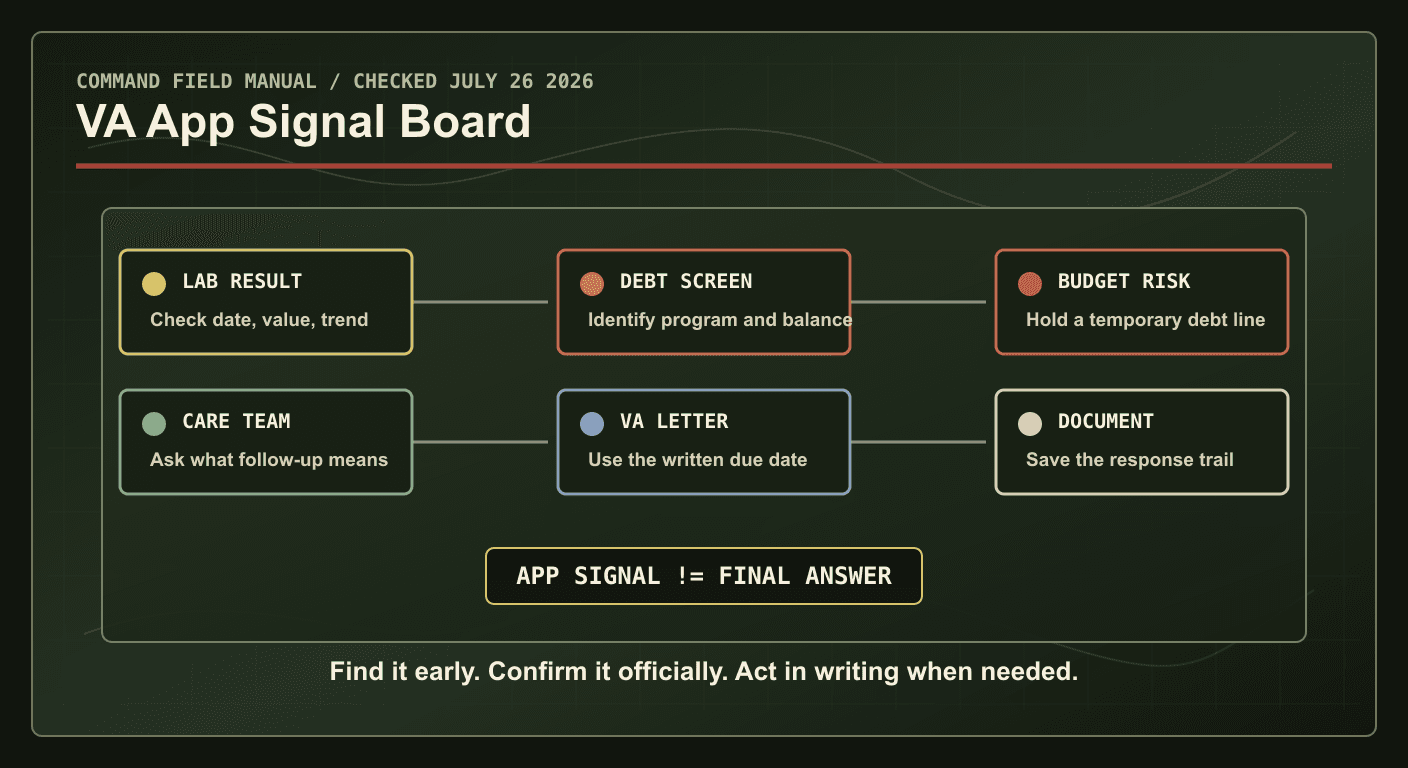
VA announced on July 17, 2026, that the VA Health and Benefits mobile app now lets Veterans view lab results and manage benefit overpayment debts from the app. That is a useful update because it puts two high-friction areas - medical follow-up and benefit debt - closer to the phone most Veterans already carry.
It also creates a discipline problem. Faster access is not the same thing as a final answer. A lab result in an app is not a diagnosis. An overpayment screen is not a substitute for the paper debt letter, VA guidance, or a written dispute strategy. The right move is to use the app as an early-warning dashboard, then confirm the next action through the official VA channel that applies to your situation.
What VA says changed in the app
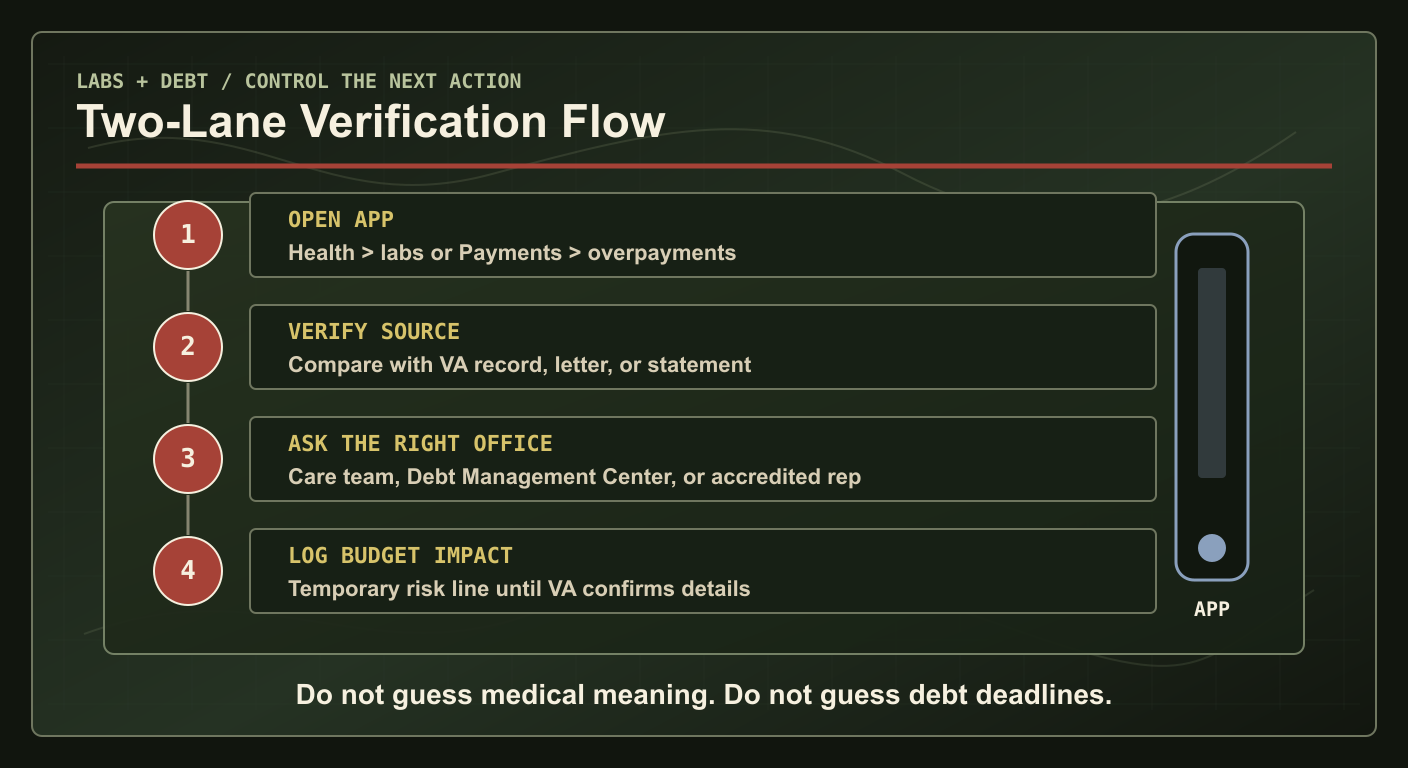
VA's July 17 announcement says Veterans can now view lab results in the Health section of the app by going to Medical records, then Labs and tests. VA says users can sort labs and tests by date range and review detailed results. The same announcement says Veterans can use the Payments section, then Overpayments, to view or manage benefit overpayment debts related to disability compensation, pension, and education benefits.
VA's mobile app page describes the app as the official VA Health and Benefits app for managing VA health care, benefits, and payments from a phone or tablet. It also lists health care, benefits, and payments tools such as prescriptions, secure messages, appointments, claims and appeals status, VA letters, payment history, direct deposit, VA facility lookup, and Veterans Crisis Line access.
The practical takeaway is simple: the app is becoming a stronger front door. It can help you find information earlier, but the information still belongs inside a larger system of records, letters, clinicians, and VA rules.
Lab results: check, then prepare better questions
Lab results can create anxiety when they appear before a clinician has explained them. Do not turn a single number, flag, or trend into a self-diagnosis. The app can help you see that a result exists, compare dates, and prepare better questions for your care team. It should not be used to declare that a condition is harmless, urgent, service connected, or claim-ready without medical review.
A useful lab-result workflow looks like this:
- Confirm the test date. Make sure you are looking at the right lab draw, not an older result.
- Write down the exact result name. Bring the label, date, and value to your next secure message or appointment.
- Ask what changed. If a value moved from prior tests, ask whether it matters clinically and what follow-up is recommended.
- Do not guess claim impact. A lab result may be useful evidence in some contexts, but service connection, rating, and medical nexus questions require more than a screenshot.
- Protect the record. If you download, screenshot, or print health information, store it like sensitive medical data.
For Command readers, the point is not to become your own lab interpreter. Do not guess medical meaning from an app flag, a single value, or a trend line without your care team's guidance. The point is to show up with organized questions instead of vague concern.
Overpayment debt: identify the risk before it hits the budget
VA says the app can now show benefit overpayment balances, why a debt exists, payment options, financial-assistance requests, and dispute tools. That matters because overpayment debt often becomes a cash-flow problem before the Veteran has a clean plan. If disability compensation, pension, or education money changes unexpectedly, rent, school costs, child care, transportation, and groceries can all get squeezed.
But the app should not be treated as the whole debt file. VA's debt-management page says Veterans and service members can sign in online to check the amount and status of overpayments related to VA disability compensation, non-service-connected pension, or education benefits, and to find payment or help options. The same page tells Veterans to pay the full balance or request help by the due date on the collection letter or billing statement. That letter still matters.
The debt checklist before you act
If the app shows an overpayment, slow down long enough to separate facts from panic.
- Match the benefit program. Identify whether the debt is tied to disability compensation, pension, or education benefits.
- Find the debt letter. Compare the app details against the first debt letter, collection letter, billing statement, or VA.gov debt page.
- Calendar the letter date. Do not calculate waiver or dispute timing from memory. Use the actual date and wording in VA correspondence.
- Ask why the debt exists. Look for the eligibility change, school status issue, payment correction, or other event VA says caused the debt.
- Check help options before paying a lump sum. VA's debt page says Veterans can request help if they are struggling to pay overpayments or copay bills.
- Put disputes in writing. VA says if you think an overpayment or copay bill is an error, you have the right to dispute all or part of the charges with a written statement explaining why you think the debt is incorrect.
- Call when the payoff amount matters. VA's debt page tells Veterans paying a full overpayment balance, or receiving monthly VA benefits, to call first so VA can confirm the amount owed and help avoid overpayment.
VA's debt page also says the time limit to request a waiver has changed to 1 year from the date you received your first debt letter or copay bill. Do not turn that sentence into personal legal advice. If waiver, dispute, hardship, offsets, or appeal timing could affect your file, use VA's official debt channels or an accredited representative before you let a deadline pass.
Build a Command-style response
The app update gives you a faster scan. Command discipline turns that scan into a controlled response.
- One folder: keep the app screenshot, debt letter, payment history, secure messages, and any dispute or help request together.
- One timeline: record lab dates, care-team messages, debt-letter dates, payment due dates, and follow-up deadlines in one place.
- One budget line: do not hide a possible debt offset. Put it in a temporary risk line until VA confirms the amount, status, and collection plan.
- One next action: message the care team, call the Debt Management Center, request help, submit a written dispute, or wait for VA guidance. Pick the correct action instead of refreshing the app all day.
This is the difference between access and control. Access means the app shows you more information. Control means you verify the information, protect your records, and make the next move in writing when the stakes are high.
What not to assume
Do not assume every Veteran will see the same screens on the same day. App features can depend on account access, identity verification, app version, records availability, and whether VA has a debt or lab result to show. Do not assume a missing debt screen means no debt exists if you received a VA letter. Do not assume a normal-looking lab value means no follow-up is needed. Do not assume a payment button, help request, or dispute link changes the deadline in a debt letter.
Use the VA app because it is useful. Then use the official record because it is the record. That is the standard.
Sources checked July 26, 2026: VA News announcement on new VA app features; VA Health and Benefits mobile app page; VA debt management page.